
Claiming Guide
On this page
Claiming Tool
Use /kit claim to spawn a Claiming Tool, then equip it in your main hand.
Create Claim
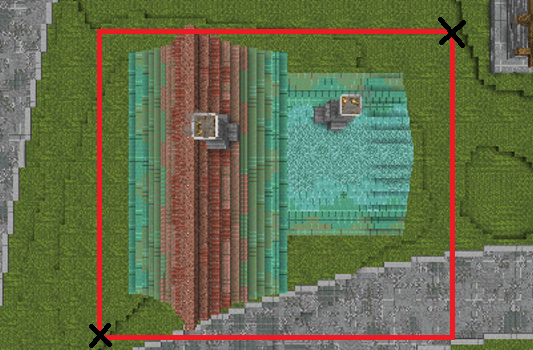
Right-click two opposing corners of the area you want to claim. Claims must be at least 10×10 blocks and require enough  Claim Blocks to cover the selected area.
Claim Confirmation
When a claim is created successfully, gold blocks will temporarily outline the full claim boundary.
Claim Blocks
While holding a Claiming Tool, a chat message will indicate your current Claim Block balance. Claim Blocks can be obtained through:
- Voting (100 per day)
- Vote Shop
- Playtime (2 per minute)
- Ultra Crate
- Donor Rank Upgrades
- Donor Rank Kits
Management
| Commands | Description |
|---|---|
/flan menu | Opens the Flan Menu |
/trust <name> | Grants the specified player Builder permissions in the claim you are currently standing in |
/untrust <name> | Revokes the specified player’s access in the claim you are currently standing in |
/flan list | Displays the coordinates of all claims you own |
/flan switchMode <default/subclaim> | Sets your Claiming Tool’s mode to Default or Subclaim |
/abandonclaim | Permanently deletes the claim you are currently standing in |
/abandonallclaims | Permanently deletes all claims you own |
/unclaim | Permanently deletes the inactive claim you are currently standing in |
Permission Groups
Permission Groups can be assigned to other players to control access within your claim:
- Visitor: Can enter the claim at all times
- Builder: Can place and break blocks
- Manager: Full access to the claim and all permissions
To assign a group to a player: open /flan menu, select Edit Permission Groups, choose Visitor/Builder/Manager, select Add, then enter the player’s exact username.
Subclaims
Subclaims are claims created inside an existing claim. They have their own permissions and override the parent claim’s permissions within the subclaim area.
To create one, run /flan switchMode SUBCLAIM, then create it using the same corner-selection process as a normal claim.
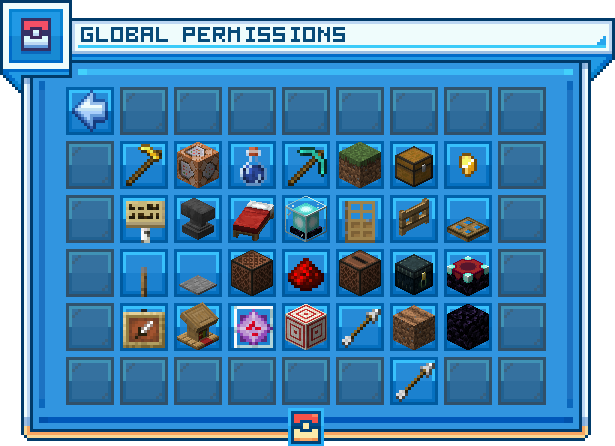
Global Permissions
Global Permissions apply specific permissions to all players within your claim, allowing you to grant or revoke access claim-wide.
Inactive Claims
Land belonging to players who have stopped playing may be released with /unclaim. Stand anywhere inside the claim and run the command, then click the confirmation prompt that appears in chat. The claim is deleted permanently and the land returns to wilderness, free for anyone to claim again.
A claim may only be unclaimed when every one of the following is true:
- The owner has not logged in for at least 120 days
- The claim is not an admin claim
- The claim does not belong to you. Use
/abandonclaimto remove your own claims - The owner is not a YouTuber, and is not a staff member of Senior Mod rank or above
Unclaiming another player's land places /unclaim on a 24 hour cooldown.